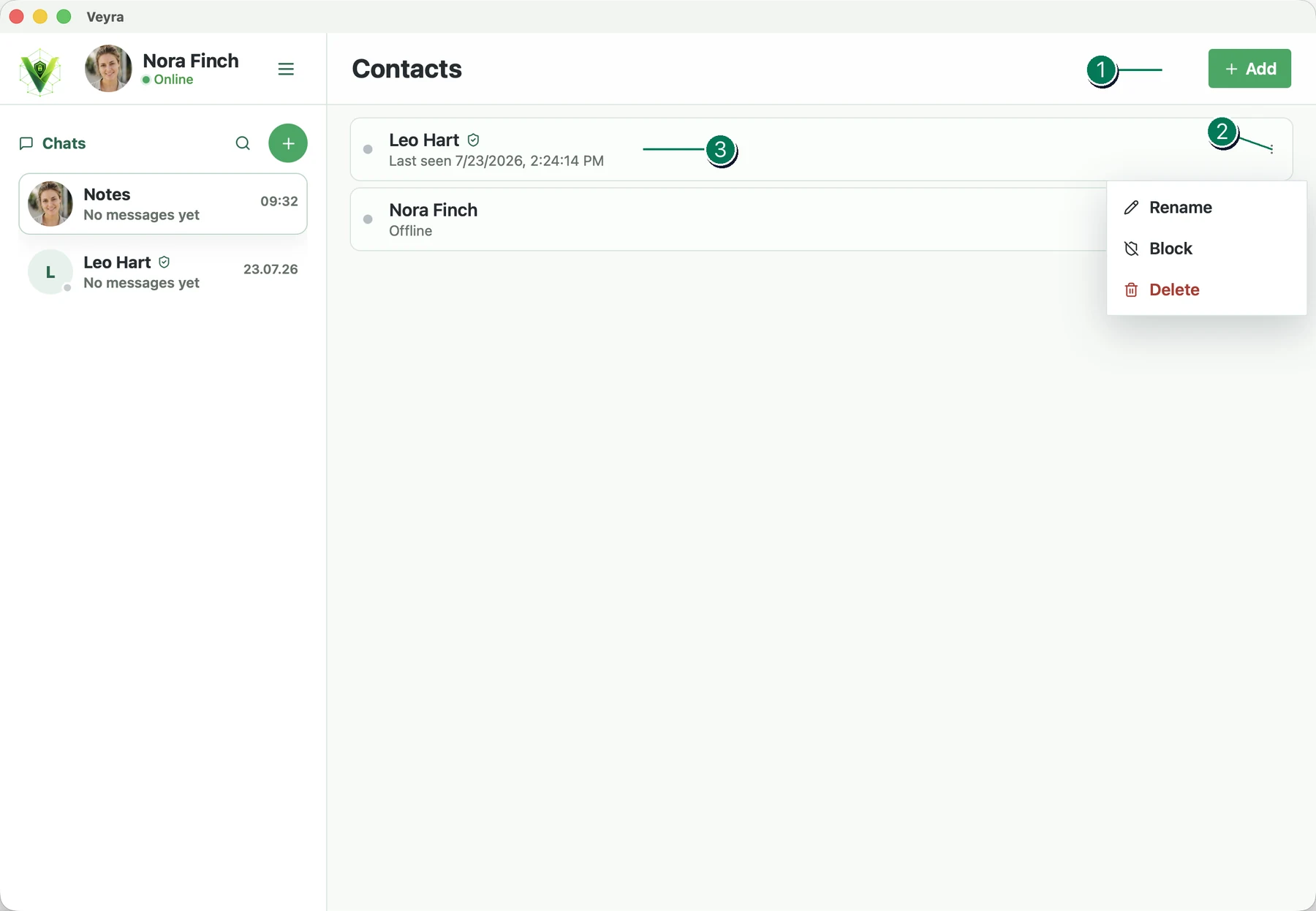
Add contact button. After clicking it, enter an invitation code or scan a QR code. A new chat will be created and the person will be added to your contact list.
Contact management menu. Lets you rename, block, or delete a contact.
Contact card. Shows the contact’s name and when they were last online. Click the row to open the chat.